
Finish tasks,
unlock apps.
Distracting apps stay locked until your tasks, habits and events are done. Check them off on iPhone or Apple Watch to unlock.

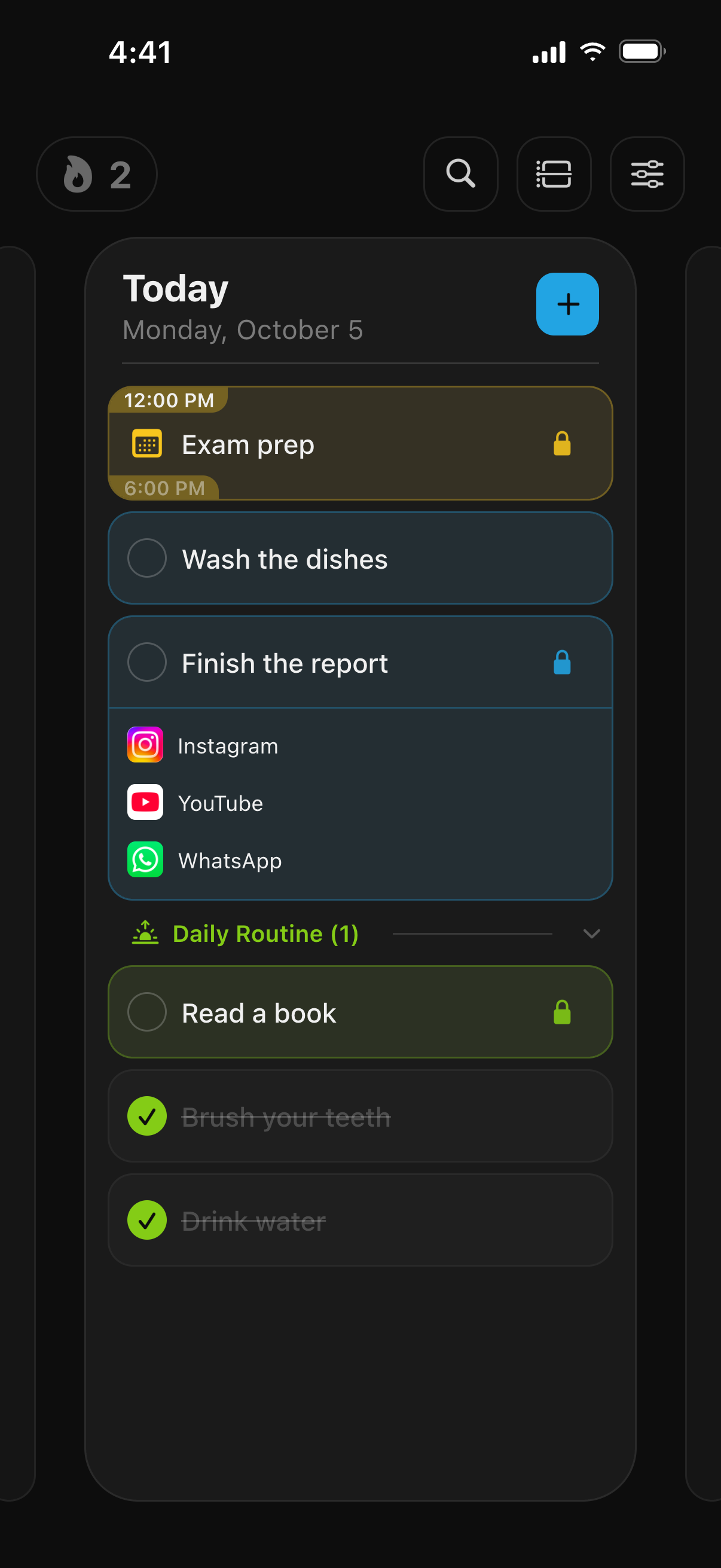
One app to rule them all.
One app for your tasks, habits, and events that locks apps until you're done.
-
App Locking
-
Tasks & Tags
A to-do list with a built-in app blocker: group tasks with tags and check them off one by one.
-
Habits
Build daily routines with streaks and habit tracking.
-
Events
Schedule events and lock apps when it's time to focus.
-
Calendar Sync
Sync with Apple Calendar so your events stay up to date.
-
Customization
Change the accent color, app icon, and theme to match your style.
Common questions
Short answers about how TaskLock locks and unlocks your apps.
Can TaskLock block apps until I finish my homework?
Yes. Add a task such as “Finish math homework”, open App Lock and choose the apps to block, for example Instagram, TikTok, YouTube or games. Those apps stay locked until you mark the task complete. If you open one of them before that, a shield screen lists the tasks still keeping it locked. There is a step-by-step guide: block Instagram and TikTok until homework is done. More setups for revision and exam weeks are on the study app blocker page.
Can I cheat or bypass the lock?
You can, but TaskLock makes it slow and deliberate rather than a one-tap habit. Marking a task done, removing a lock or pushing its start later all go through a confirmation countdown of 5 to 30 seconds. A daily change limit of 0 to 5 then caps how many times you can change an active lock at all. TaskLock is built for people who want to keep themselves honest, not as a parental control.
Is TaskLock free?
Yes. TaskLock is free to download, and the free version includes app locking, tasks, habits and events. It limits how many items you can have: a small number of tasks, one habit, one event per day and two synced calendars. TaskLock Premium removes those limits.
Does TaskLock work on Apple Watch?
Yes. The Apple Watch app shows today’s tasks, events and habits. Check off a task on your wrist and its apps unlock on your iPhone. You can also add tasks and events from the watch, with date, time, lock group and reminder. Complications and Smart Stack widgets show what is next. The iPhone stays the main device; the watch syncs with it.
Does TaskLock need an account or internet?
No. There is no account to create and no sign-in. The app works fully offline, including locking and unlocking, so it keeps working on a plane or with mobile data switched off. When you are online, the internet is used for optional iCloud backup, link previews on tasks, purchases through the App Store, anonymous usage analytics and an Apple Ads attribution check after you install.
How TaskLock compares
TaskLock keeps your apps locked until the task is done. Here’s how other blockers work.
TaskLock vs Opal
Timed sessions, schedules and daily limits with detailed screen time reports.
Read the comparisonTaskLock vs one sec
A breathing pause before each app opens; you decide whether to continue.
Read the comparisonTaskLock vs Apple Screen Time
Built into iOS: daily App Limits and Downtime schedules, easy to ignore when you know the passcode.
Read the comparison