
App blocker for studying: lock distractions until the work is done
TaskLock is a free iPhone app blocker built for studying. The apps you choose stay locked until you check off a homework task or until a study block on your calendar ends, so a quick look at TikTok is not an option while the work is still open.

Two ways to block apps while studying
- Assignment lock (task). Add “Chemistry problem set” and lock Instagram, TikTok, YouTube and games to it. The apps stay locked until the task is checked off, whether that takes 40 minutes or three hours. Use this when the goal is a finished piece of work.
- Study block (event). Create an event from 4:00 to 6:00 PM, or sync your timetable from Apple Calendar, and add a lock. The apps are locked for exactly that window and unlock on their own when it ends. Use this for lectures, library sessions and timed revision.
Both can run at the same time. If an app is held by a task and an event, it stays locked until both have cleared.
Setting up an exam week
- List the work. Add one task per topic or past paper to your to-do list, each on the day you plan to do it. Save tasks you repeat under a tag like “Biology revision” and add the whole set to a day at once.
- Make a lock group. Save your distractions as a group, for example “Social + games”, so every task gets the same lock with one tap.
- Set a lock start time. Add tomorrow’s tasks tonight and let their locks begin at 9:00 AM. Until then, the apps stay open.
- Add a daily habit. “Review flashcards” every day, locking short-video apps until it is done, keeps the small daily work from slipping.
- Lock the timetable. If your classes or study sessions are in Apple Calendar, they appear in TaskLock automatically. Add a lock to the ones where the phone should stay closed.
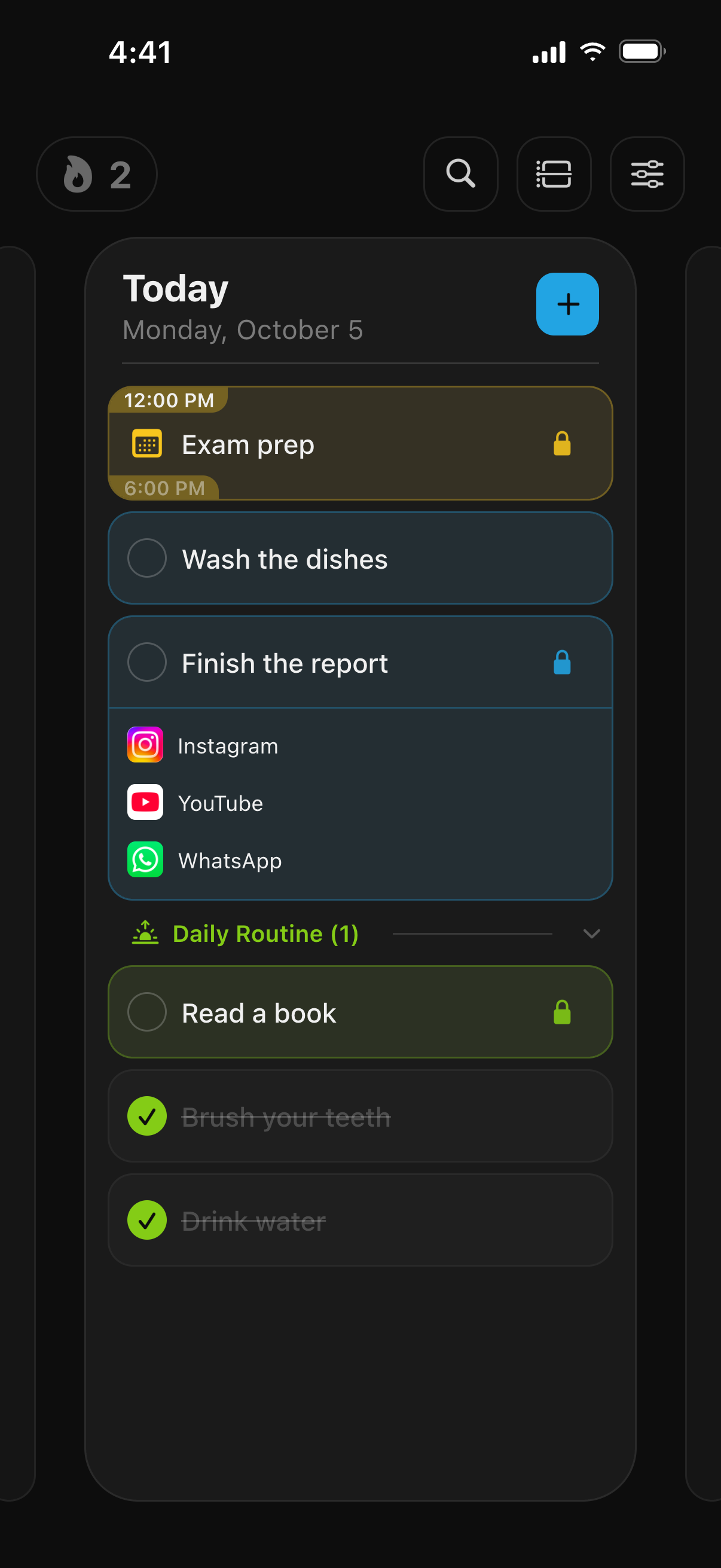
What to block
Most students lock social apps, short-video apps and games. The Screen Time picker lets you choose single apps or whole categories, so “Social” and “Games” cover apps you install later as well. Websites such as youtube.com or reddit.com can be locked in Safari the same way. Messaging apps are a personal call; many people leave them open and lock everything else.
What a blocked app shows you
Open a locked app and you get a shield instead: “Complete your tasks to unlock!”, followed by the list of tasks and events still holding that app. It is a reminder of what is left, not a wall. One tap opens TaskLock so you can go straight back to the task.
When you are tempted to cheat
Checking off a task you have not done, removing a lock or pushing its start later all go through a confirmation countdown of 5 to 30 seconds. A daily change limit, which you can set anywhere from 5 down to 0, caps how often you can touch an active lock at all. For exam season, many people set the countdown to 30 seconds and the limit to 0. If you want someone else to hold the key, let a parent or friend set the iPhone’s Screen Time passcode and turn off app deletion; details are in the FAQ.
Study habits that stick
Habits in TaskLock repeat on the days you choose and can lock apps on each of those days until they are done. A streak and a history strip show how the week went, and a progress page shows rings for all habits at once. Editing a habit never rewrites its past, so a changed schedule keeps an honest record.
Without the phone in your hand
If you wear an Apple Watch, the watch app shows today’s tasks and lets you check them off from your wrist. The apps unlock on the iPhone, so the phone can sit in a bag or another room for the whole session. Live Activities on the Lock Screen show what is still open at a glance.
Free for students
TaskLock is free to download, with app locking, tasks, habits and events included. The free version limits how many items you can have; TaskLock Premium removes those limits. No account is needed, the app works offline, and your tasks never leave your iPhone.
Common questions
Can I block apps only during school hours?
Yes. Create a repeating event, for example weekdays from 8:30 AM to 3:30 PM, and add a lock to it. The apps are locked only during that window. If your timetable is already in Apple Calendar, the events sync into TaskLock and you only need to add the lock.
Does it block YouTube in Safari too?
Yes. The Screen Time picker lets you choose websites as well as apps. Add youtube.com to the lock and it is blocked in Safari until the task is done or the event ends.
Is TaskLock free for students?
Yes. TaskLock is free to download for everyone, with app locking, tasks, habits and events included. The free version limits how many items you can create; Premium removes those limits. There is no separate student plan.
Get TaskLock free
The to-do list that locks apps until you’re done. iPhone and Apple Watch.