
How to block Instagram and TikTok until your homework is done on iPhone
You can block Instagram and TikTok on iPhone until your homework is done with TaskLock, a free to-do list with a built-in app blocker that uses Apple’s Screen Time framework. Add a task, choose the two apps, and they stay locked until you check the task off. Setup takes about two minutes.

What you need
- An iPhone running iOS 17 or later.
- TaskLock from the App Store. It is free and needs no account.
- Two minutes. The Screen Time permission is a single tap.
Step by step
- Install TaskLock. Download TaskLock: To Do & Block Apps from the App Store and open it. The short onboarding lets you pick a color and add a first task.
- Allow Screen Time access. When iOS asks, tap Allow. This is Apple’s standard permission for blocking apps. TaskLock cannot see what you do in other apps; it can only place a shield over the ones you choose.
- Add the homework task. Tap the plus button and type a title such as “Finish history essay”. Add a reminder time if you like.
- Choose Instagram and TikTok. Tap App Lock. Apple’s picker opens; find Instagram and TikTok and tick them. To cover YouTube, Snapchat and anything similar at once, tick the whole Social category instead.
- Optional: set when the lock starts. If homework time is 4:00 PM, set the lock start time to 4:00 PM. The apps stay open until then and lock on their own at four.
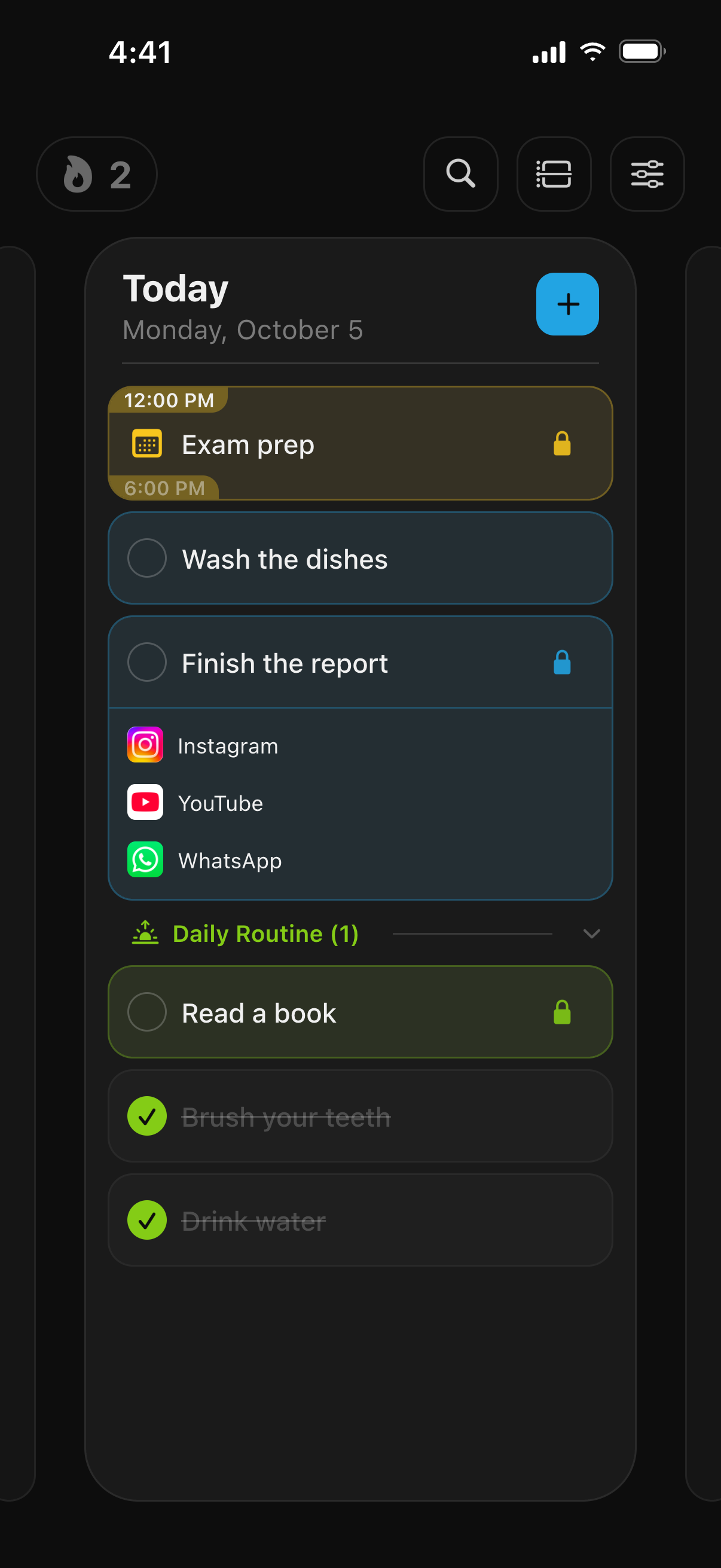
- Save and start working. From now on, opening Instagram or TikTok shows a shield: “Complete your tasks to unlock!” with your homework task listed under it, and a button back to TaskLock.
- Check the task off. When the homework is done, tap the circle next to the task. A short countdown asks “All done? Just be honest.” Then Instagram and TikTok open again.
Make it a daily routine
If homework happens every school day, use a habit instead of a task. Create a habit called “Homework” on Monday to Friday and give it the same lock. Each weekday, Instagram and TikTok lock until the habit is checked off, and a streak shows how many days in a row you kept it up. Add a lock group named “Social” once and reuse it on every task and habit.
Or lock during a fixed homework time
Some people prefer a set window: from 4:00 to 6:00 PM, no social apps, no matter what. For that, create an event instead of a task, set its start and end time, make it repeat on school days and add the lock. The apps are locked for exactly that window and unlock on their own at six. If your school timetable is already in Apple Calendar, it syncs into TaskLock and you only add the lock.
Make it stricter
By default TaskLock is a tool for keeping yourself honest: a confirmation countdown and a daily change limit slow down early unlocks but do not make them impossible. To tighten it:
- In Settings, set the confirmation countdown to 30 seconds and the daily change limit to 0 (“No changes allowed”).
- Ask a parent or someone you trust to set the iPhone’s Screen Time passcode and keep it.
- Under Screen Time, open Content & Privacy Restrictions and set Deleting Apps to Don’t Allow. Deleting TaskLock would otherwise remove its locks, which is how iOS treats every Screen Time app.
Can you do this with Screen Time alone?
Partly. Apple’s App Limits can cap Instagram and TikTok at, say, 30 minutes a day, and Downtime can block them on a schedule. A self-set limit shows an “Ignore Limit” option unless a passcode is in place. TaskLock uses the same Screen Time framework underneath and ties the lock to the task, so the apps come back when the work is done. The full comparison is on the TaskLock vs Apple Screen Time page.
What else you can lock the same way
Anything the Screen Time picker shows: YouTube, Snapchat, Discord, X, Reddit, games or whole categories, and websites such as youtube.com in Safari. The same steps work for chores, music practice or a reading habit; only the task title changes. Here are more ways to block apps until tasks are done. For exam weeks and timed study blocks, see how to block apps while studying. See the FAQ for more details on locks, Apple Watch and privacy.
Common questions
Can I add YouTube and games too?
Yes. In the same App Lock picker, tick YouTube, individual games, or the whole Games and Social categories. Everything you tick stays locked until the homework task is checked off.
What if I have several assignments?
Add one task per assignment and give each the same lock, for example a “Social” lock group. Instagram and TikTok then stay locked until the last assignment is checked off, and the shield lists which ones are still open.
Does it work with Snapchat and Discord?
Yes. Any app installed on the iPhone appears in Apple’s Screen Time picker, so Snapchat, Discord, X, Reddit and games can be locked the same way as Instagram and TikTok.
Get TaskLock free
The to-do list that locks apps until you’re done. iPhone and Apple Watch.